Types of Web Hosting Explained: Shared, VPS, Cloud and More
The main types of web hosting in plain words, what each one costs and suits, and how to choose the right one for a business website in India.
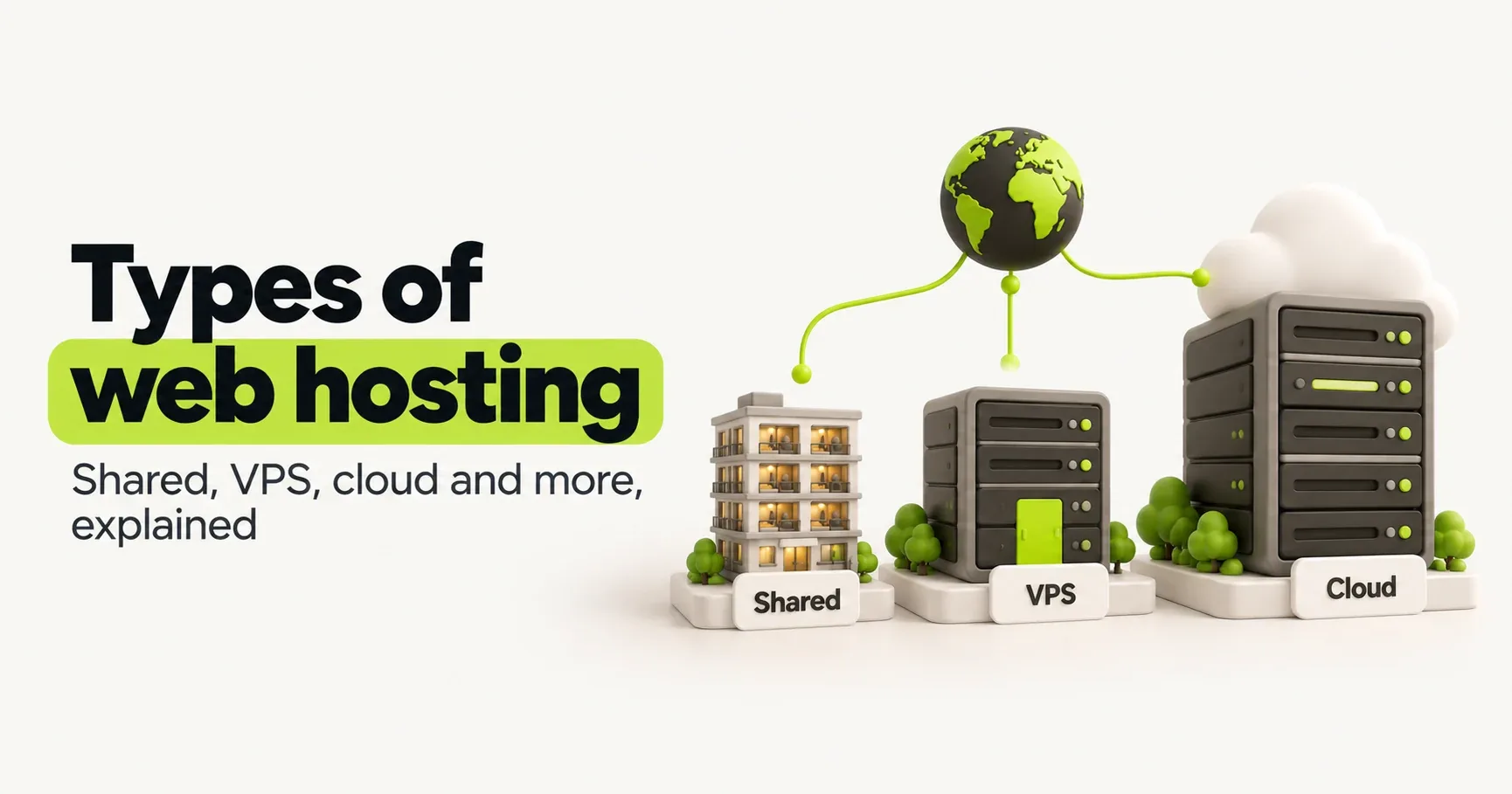
Web hosting is the computer your website lives on. When someone opens your site, their phone asks that computer for your pages, and it sends them back. Every website needs one, and the kind you choose decides how fast your site is, how much traffic it can take, what it costs and how much of it you have to look after.
Hosting plans can look confusing, with dozens of tiers and big promises like "unlimited". Underneath, there are only a handful of real types. Here they are in plain words.
The main types at a glance
Type | In one line | Rough cost in India | Good for | What you look after |
|---|---|---|---|---|
Shared hosting | Your site shares one server with hundreds of others | ₹100 to ₹500 a month | Small business sites and blogs starting out | Almost nothing |
Managed WordPress hosting | Hosting tuned for WordPress, with updates and backups handled | ₹300 to ₹3,000 a month | WordPress sites that bring in business | Just your site |
VPS hosting | Your own slice of a server, with guaranteed power | ₹500 to ₹3,000 a month | Growing sites, custom software, several sites | The server, unless it's managed |
Cloud hosting | Servers from a big provider, paid for by use | Depends on use | Online stores and apps with changing traffic | Depends on the setup |
Static or edge hosting | Pages served from a worldwide network, close to each visitor | Often free for small sites | Fast, custom-built marketing sites | Nothing on the server side |
Dedicated server | A whole physical server just for you | ₹5,000 a month and up | Very large sites with special needs | Everything |
Prices are rough ranges at the time of writing. Watch out for the renewal price: many plans in India advertise a low monthly rate that only applies if you pay for two to four years upfront, and the renewal can cost two or three times as much.
Shared hosting
Your site sits on one server alongside hundreds of other websites, all sharing its processor, memory and connection. It's the cheapest option and the hosting company handles everything technical, which is why most small sites start here.
The catch is the neighbours. If another site on your server gets a traffic spike or runs something heavy, your site can slow down too, and you can't do much about it. "Unlimited" plans aren't truly unlimited either. Read the fair usage section and you'll usually find limits on processing power and the number of files.
Choose it if you have a small information site or a blog, modest traffic, and want to spend as little time and money on hosting as possible. Pick a host with servers in India and daily backups.
Managed WordPress hosting
This is hosting built only for WordPress. The host sets up caching so pages load fast, keeps WordPress up to date, takes daily backups and usually gives you a staging copy to test changes on before they go live. Support staff know WordPress, so they can help with WordPress problems, not just server ones.
Choose it if your website runs on WordPress and it matters to your business, especially if it's an online store or brings in enquiries every day. The extra cost buys you speed and peace of mind.
VPS hosting
A VPS, or virtual private server, is one physical server split into a few private sections. Your section has its own guaranteed share of processor and memory, so other customers can't slow you down, and you can install whatever software you need.
VPS plans come in two kinds, and the difference matters a lot:
Unmanaged: you get a bare server. Installing software, applying security updates, setting up backups and fixing problems at 2 am are all your job.
Managed: the host looks after the server for you. It costs more, but it's the only sensible choice if nobody on your team runs servers.
Our honest advice: if nobody in your business knows what SSH is, don't buy an unmanaged VPS to save a few hundred rupees. An unpatched server is how sites get hacked.
Cloud hosting
Cloud hosting runs your site on infrastructure from a large provider such as AWS, Google Cloud, Microsoft Azure or DigitalOcean. You rent exactly what you need and can add more in minutes when traffic grows, then scale back down. All the big providers have data centres in India, mostly around Mumbai, with others in cities like Hyderabad, Delhi, Pune and Chennai.
It's flexible and very reliable when it's set up well, but it isn't simple. Someone has to design the setup, and because you pay for what you use, a mistake or a traffic spike can produce a surprise bill. Always set up billing alerts.
Choose it if you run an online store, booking system or app with real traffic, or traffic that jumps around festivals and sales, and you have a developer or agency looking after it.
Static and edge hosting
This one is newer, and a lot of business owners haven't heard of it. Instead of one server building each page when someone asks for it, the site runs on a network of servers spread across the world, so each visitor is served from a location near them. Cloudflare, Vercel and Netlify are the best-known names, and all of them have free plans that are plenty for most small business sites.
It's fast, it's hard to take down, and there's no server for you to update. This site runs this way, on Cloudflare's network, which has locations in many Indian cities, from Mumbai and Delhi to Chennai and Kolkata.
The catch: it suits sites built by developers with modern tools. You can't install WordPress and a pile of plugins on it.
Dedicated servers
A whole physical machine, rented just for you. Very few small or medium businesses need one today, because a good VPS or cloud setup gives you the same power with far more flexibility. It's for large sites with unusual needs and a team to run them.
Where your server is matters
If most of your visitors are in India, your site should be served from India, or from a network with locations here. Every trip from a phone in Pune to a server in the US and back takes around a quarter of a second, and loading a page needs several of those trips before anything appears on screen.
That delay shows up as Time to First Byte (TTFB) in PageSpeed Insights, and it feeds straight into your Core Web Vitals. A good TTFB is under 0.8 seconds. If yours is well over a second even on simple pages, your hosting is probably the reason.
Which one is right for you?
Answer four quick questions for a suggestion.
Check these before you pay
Whatever type you pick, these matter more than the headline price:
The renewal price, not just the first-year offer.
Server location. India, or a network with locations here, if your customers are here.
Daily backups you can restore yourself, without raising a ticket and waiting.
A free SSL certificate, so your site shows as secure. Every decent host includes one now.
Support you can actually reach during Indian working hours, by chat or phone.
Who owns the domain. Register your domain in your own name and account, not your developer's or your host's. It's the one part of your website that's hard to get back if things go wrong.
Hosting plans often include email too. That's usually fine for a small team, but keep in mind that if you move hosts later, your email may have to move with it.
Frequently asked questions
- Which type of web hosting is best for a small business?
- For most small business websites, good shared hosting or managed WordPress hosting is enough. If your site is custom-built, static or edge hosting is usually faster and often free. Builders like Wix and Shopify include hosting, so you don't need to buy it separately.
- What is the difference between shared hosting and VPS hosting?
- With shared hosting, your site shares one server's resources with hundreds of other sites. With a VPS, you get your own guaranteed slice of a server, so other sites can't slow you down, but you or your host have to manage it.
- Is cloud hosting better than shared hosting?
- It's more powerful and flexible, and it handles traffic spikes well, but it's also more complex and the cost changes with use. For a small information site, cloud hosting is usually more than you need.
- Does web hosting affect SEO?
- Indirectly, yes. Slow or unreliable hosting makes pages load slowly, hurts your Core Web Vitals and loses visitors, and a site that's often down is harder for Google to crawl. A good host close to your visitors avoids all of that.
- Can I move my website to a different host later?
- Yes. Most sites can be moved, and many hosts offer free migration. Keep your domain registered in your own account and keep a recent backup, and moving is much easier.
- Do I need hosting if I use Wix or Shopify?
- No. Wix, Shopify and similar platforms include hosting in their plans. You only need to buy a domain name, and even that can be bought through them.